How to Redeem Custom PC Tycoon Codes
Settings, the code box, and the mistakes that waste a working string.
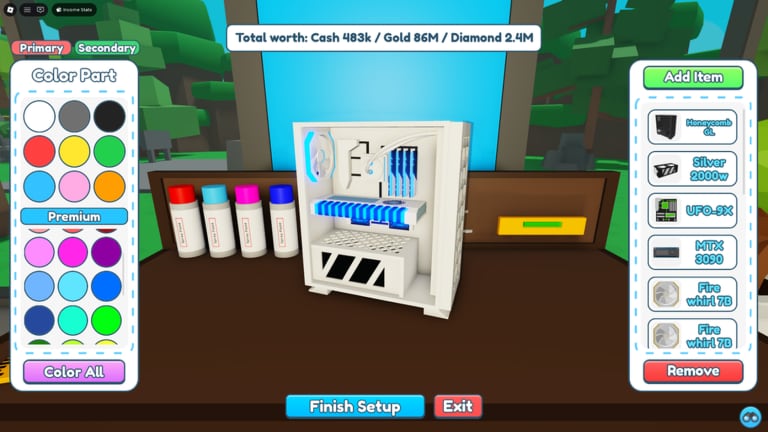
Redeeming a Custom PC Tycoon code takes less than a minute once you know which icon opens Settings. New players often hunt for a Twitter bird or a shop NPC and miss the side-button that actually holds the box. This page is the click-by-click path, plus the reasons a good code still fails.
The live list lives on the Codes Hub. Come back here when the game rejects a paste or when you want to time a boost around a convert.
Open Settings and find the box
- Launch Custom PC Tycoon from Roblox and wait until the shed, the workbench, and the currency counters finish loading. Redeeming during the first load can drop the reward.
- Look at the side of the screen for the Settings button. On a phone it is usually a gear on the right or left rail. On a computer it sits with the other HUD icons, not inside the Roblox escape menu.
- Open Settings and scroll until you see a text field. Public guides label it “Type Code Here” or a Codes box near the bottom of the panel.
- Paste the code exactly as it appears on the Codes Hub. Keep spaces. Keep camelCase.
- Press Redeem or Enter. A valid reward lands in cash, inventory, or the boost tray in the corner.
- Close Settings and check the inventory or the cash counter. Part rewards do not auto-equip. You still have to seat them on the workbench.
If you play on a small phone, rotate to landscape so the Settings panel is tall enough to show the box. The hamburger on this wiki is not the in-game menu.
Why a code fails
Most failures are typos. 70mVisits is not 70m Visits. FanPower is not Fan Power. AfterrFluff has two r letters. Copy from the table instead of typing from a thumbnail.
The second failure is a repeat. Each code is once per account. If you redeemed 30K Likes last year, the CPU will not drop again.
The third failure is expiry. Seasonal strings such as easter2024 and FluffyBunny still appear in old videos. The hub marks those as expired so you do not blame the box.
The fourth failure is a follow requirement. A few creator codes historically asked you to follow a Roblox user before the gift would stick. If the game mentions a follow, complete it, rejoin, and try once more.
The fifth failure is a stale session. Rejoin the experience, wait for the HUD, and paste again. Do not mash Redeem five times on a hung prompt.
Time boosts on purpose
Boost codes are short. Five or ten minutes disappear if you spend them walking to the electronics store. Prepare the action first:
- Fill empty podiums so the multiplier hits every slot.
- Queue a Gold or Diamond convert if you are about to climb a currency. The currencies page explains the ladder.
- Place a finished PC on a new desk or server right before you redeem All Boosts.
- Save
80mVisits(Sunstone Boost) for a real Sunstone convert, not for a cash starter PC. Read how to get Sunstone first.
Roblox Premium already adds 10% income. Boosts sit on top of that. They do not replace a better GPU. After the timer ends, use the income calculator to decide whether the next cash pile should buy another podium or a higher part band.
After the reward lands
Cash is obvious. Parts hide in inventory. Open the inventory, move the new motherboard, CPU, cooler, or case onto the workbench, and rebuild. A code CPU sitting in a bag earns nothing. The getting started guide covers the first complete PC if you have not built one yet.
Code-only parts such as the SP 5CE motherboard, the 6Bit V0 CPU, Whoosh Cooling, and the Thumbs Up CPU have unique models. Keep them until a shop part in the same slot clearly wins on income. The early-game tier list and the PC parts list help you compare.
If the reward is a boost and you see no timer, look at the lower-left or lower-right HUD. Public videos show the boost tray with a countdown. If the tray is empty after a “success” toast, rejoin once. If it is still empty, the code may have been a one-time grant you already used.
Stay safe
Nobody in chat can redeem a code for you. Nobody needs your password to “apply” a motherboard. This wiki never asks you to download an executor to claim a promo. Script pages on this site are separate, optional, and carry a Roblox ToS warning on the Scripts Hub.
When Fallen Worlds posts “2 New Codes” in the game description, check the changelog and the links page for the official group. We add a string only after it redeems in-game.
Related pages
Keep the Codes Hub open in another tab while you paste. Then spend the gift with make money and tick the progression checklist so the free CPU is not your only upgrade for a week.
Frequently Asked Questions
Quick answers to the most common questions.
Where is the Custom PC Tycoon code box?
Inside the in-game Settings panel on the side of the HUD, not in the Roblox escape menu.
The code says invalid. What now?
Check spaces and capitals against the Codes Hub, confirm you have not used it already, then rejoin and paste once more. If it still fails, it is expired.
Do I need to follow someone to redeem?
Most codes work with a paste only. A few creator codes have asked for a follow. If the prompt mentions a user, follow, rejoin, and retry.
Why did I not see the part?
Part rewards go to inventory. Equip them on the workbench and place the finished PC before you expect income to rise.