Getting Started in Custom PC Tycoon
From the electronics store to a complete PC on podium one.
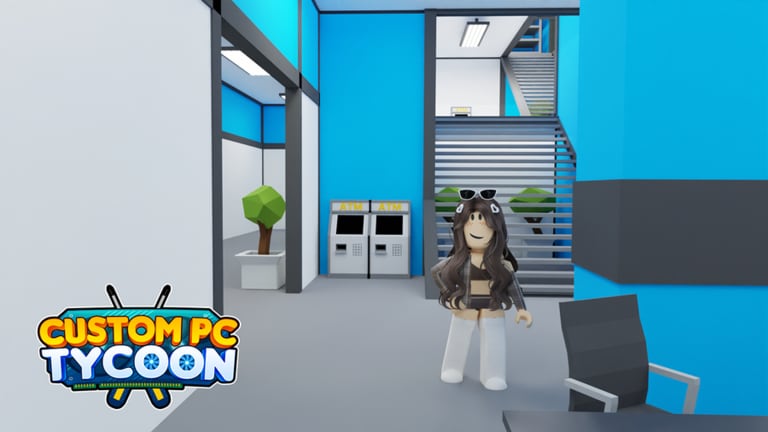
Custom PC Tycoon is already live on Roblox. You do not wait for a launch date. You spawn in a starter shed, walk to a shop, and try to turn a cheap case into a machine that prints cash every 20 seconds. This page is the first hour done in the right order.
If you have not claimed promos yet, open the Codes Hub and how to redeem codes before you spend the starter wallet. A free motherboard or CPU can skip an entire shop tier.
The loop you will repeat all game
- Buy parts at an electronics store. Early on that is the cash shop near spawn.
- Carry them to the workbench in your shed.
- Assemble a complete PC: case, motherboard, CPU, cooler or fans, RAM, storage, GPU, and PSU. Missing a slot usually means the podium pays like junk.
- Place the finished PC on a podium. Later you will also place on desks and servers.
- Collect the tick. Reinvest. Buy the next podium or the next part band. Convert Cash toward Gold when the shop you need no longer prices in Cash. The currencies page is the ladder.
That is the whole game. Everything else is a bigger version of the same loop: better shops, more slots, themed sets, and Sunstone.
First purchases that do not waste cash
Do not fashion-mod a case before the PC can boot. Buy the cheapest complete set that fills every required slot, then upgrade the parts that move income the most — usually GPU, CPU, and motherboard. The early-game tier list ranks those slots for cash and Gold.
Unlock extra podiums as soon as you can afford them. Community records put the row at free, 200, 1,000, 5,000, 10,000, 50,000, 200,000, and 500,000 Cash. Skipping a cheap podium to buy RGB RAM is the classic leak. Tick them off on the progression checklist.
The workbench itself has paid upgrades. A small Cash buy adds tools and unlocks primary colors. A later buy unlocks secondary colors. Colors are for show until income is stable. Read build and sell before you dump a session into spray cans.
First-hour checklist
- Redeem every active code. Seat part rewards immediately.
- Build one complete PC and place it on the free podium.
- Buy podium two and three as soon as cash allows.
- Walk the road to the electronics store once so you know the route. Later you will need Advanced and NextGen on the same road.
- Open Settings so you can find the code box again after a patch moves the HUD.
- If you have Roblox Premium, confirm the 10% income boost is active. It applies to the same tick the PC already earns.
When the first PC looks ugly, ignore it. Income does not care about your favorite orange accent until you have eight podiums and a desk plan.
What to ignore on day one
Do not chase Sunstone. You will not convert a meaningful pile in the first hour. Bookmark how to get Sunstone and come back when Diamonds feel cheap.
Do not hunt every secret on an empty wallet unless you are already walking past the landmark. The secret parts routes are short, but a lost new player wastes more time than a 4TB stick is worth.
Do not buy a script. If you later research automation, the Scripts Hub explains the risk. Your first evening should be hands-on so you understand why an empty podium earns zero.
Do not upgrade the shed until the required podiums are bought. Older notes say later workspace tiers expect the podium row to be complete. The make money guide covers that gate.
After the first hour
Once three or four podiums hold complete PCs, start thinking in part bands instead of single parts. Replace the weakest GPU across the row before you min-max one showpiece. Use the income calculator if you cannot tell whether a fifth podium or a better card wins.
When Gold shops open up, read PC parts and desk setups. Floor two is the next structural unlock, not a decoration.
Watch the changelog if the electronics store suddenly shows a new cash PC set. New sets can be stronger than last month’s “best” starter, and they can also be fashion traps.
Related pages
Keep controls open if you play on a phone. Keep the Codes Hub open until every string is used. Then move to make money and stay there until the 500,000 Cash podium is no longer a fantasy. Paint later on custom colors. Do not buy a pass until you read gamepasses. The store basement waits until Diamonds exist. Name the buildings on the shop road and keep cheap pads full on the shed before you climb stairs.
Frequently Asked Questions
Quick answers to the most common questions.
What should I do first in Custom PC Tycoon?
Redeem codes, build one complete PC, place it on the free podium, then buy the cheap extra podiums before cosmetic upgrades.
Do I need Roblox Premium to play?
No. Premium adds a 10% income boost. The game is free to play without it.
Why is my PC not earning?
It is probably incomplete, not placed, or sitting in inventory. Seat every required part and put the finished PC on a podium.
When do desks unlock?
After you reach the second floor and pay Gold for the first desk. See the desks and servers guide.