Custom PC Tycoon Controls
The HUD, the prompts, and the Settings gear that holds codes.
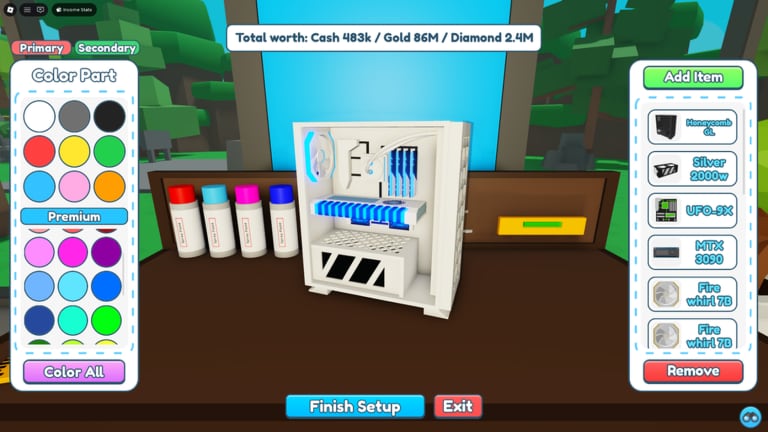
Custom PC Tycoon uses standard Roblox movement plus a small set of world prompts. There is no hidden combo that builds a PC. If a button does nothing, you are usually standing in the wrong place or a menu is covering the prompt. This page is the reference next to getting started.
Computer
- Move with WASD. Camera with the mouse. Shift lock helps when you align a PC on a podium.
- Jump with Space if a secret route needs a plank or a rock. See secret parts.
- Interact with the on-screen prompt when you face a shop shelf, workbench, podium, desk, converter, or NPC.
- Open the Roblox menu with Esc only for leave / settings of the client. Codes are not there.
- Open the game Settings gear on the HUD rail to redeem codes. Full clicks sit on how to redeem codes.
- Inventory and currency counters stay on the HUD. After a code part lands, open inventory before you assume the gift failed.
Zoom out when you place on a desk. Peripherals sit close together and a tight camera clicks the mat instead of the mouse.
Mobile and tablet
- Use the left stick to walk and the right drag to look. Pinch to zoom if the shop UI feels huge.
- Tap the interact button when it appears. If it does not appear, step closer and aim at the highlighted part, not the shop sign.
- The Settings gear shares the rail with other icons. Rotate to landscape if the Codes box is below the fold.
- The wiki hamburger on this site is not the game menu. Language on the wiki is a separate button; it will not change in-game text.
If taps hit ads or the Roblox top bar, use a smaller UI scale in the Roblox client settings, then return to the shed.
Common stuck states
Cannot place a PC. The build is incomplete, or you are facing the wrong pad. Recheck slots on build and sell.
Cannot open the code box. You opened Esc instead of the HUD gear. Rejoin if the gear is missing after a patch.
Shop will not sell. You are on the wrong currency. Cash shops reject Gold, NextGen rejects Cash. Read currencies.
Desk will not take a mouse. You are trying to seat it on the workbench. Desk peripherals belong on desk setups.
Character will not walk the plank. Jump, then walk. Some secret paths need a short hop. Do not burn a session here before podiums are filled — make money first.
Quality-of-life
Walkspeed gamepasses exist if you hate the shop road. They do not raise income. Premium’s 10% does. Inventory-size passes help when you buy a full set in one trip.
AFK is just standing still while pads tick. Keep the window focused enough that Roblox does not idle-kick you. Scripted anti-AFK is a ToS risk; see the Scripts Hub.
Related pages
New HUD icons after an update? Check the changelog. Official bug threads live on the links page. If you only needed the code path, stay on how to redeem.
Settings versus the Roblox menu
New players tap Esc, hunt for a Codes tab, and decide the wiki is wrong. Esc is the Roblox client. The gear on the experience HUD is Fallen Worlds’ panel. Codes and the redeem box live there. If a patch hides the gear, rejoin before you assume codes are gone. The how to redeem codes page is the longer version of this paragraph.
On a laptop, disable browser overlays that steal clicks. On a phone, lower the Roblox UI scale if the top bar covers interact. None of that is a gamepass problem.
Practice route
Walk spawn to the cash store, back to the workbench, onto podium one, then open Settings and close it. That four-stop loop is the whole early game. Add the Advanced lot and the secret plank only after make money says the cheap pads are filled. A player who masters prompts but owns one podium still loses to a player who taps slowly on eight complete PCs.
Frequently Asked Questions
Quick answers to the most common questions.
Where are Custom PC Tycoon codes entered?
In the in-game Settings gear on the HUD, not in the Roblox Esc menu.
Why is there no interact button on mobile?
Step closer and aim at the shelf, bench, or pad. Zoom out if the camera is too tight.
Can I play Custom PC Tycoon on a phone?
Yes. The loop is the same. Landscape mode makes Settings and shops easier to tap.
Does a walkspeed pass increase income?
No. It only shortens the shop walk. Premium's 10% boost is the income pass.